


|
Name |
DepthFX Wallpaper |
|---|---|
|
Google Play Link |
GET IT ON
Google Play
|
|
Category |
Personalization |
|
Developer |
IJP |
| Last version | DFX_W_6.11 |
|
Updated |
|
|
Compatible with |
Android 9+ |
What is DepthFX Wallpaper APK?
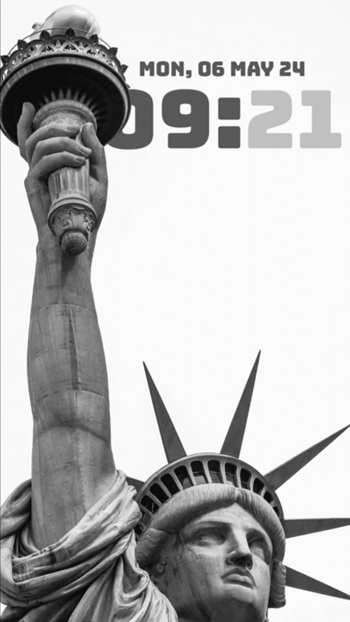
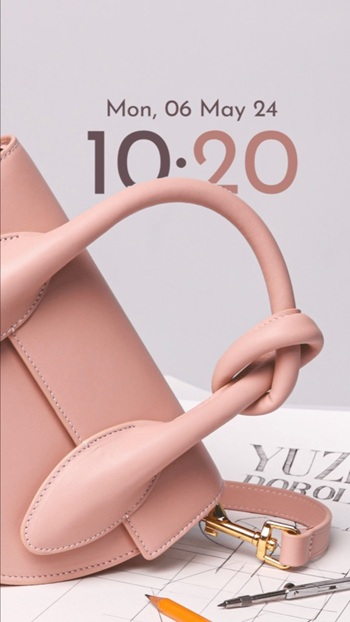
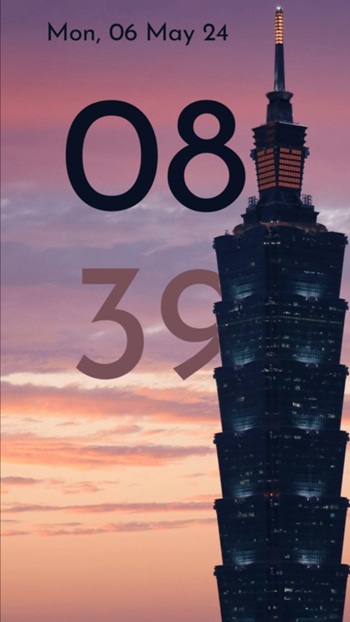
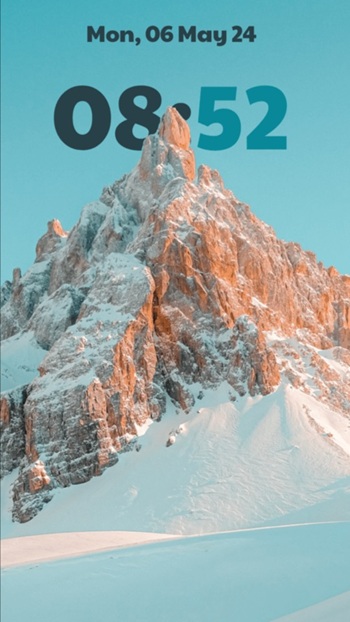
DepthFX Wallpaper is a utility app designed specifically for Android users, especially Samsung device owners. It’s not a game or a social media tool it’s a personalization app that brings a sleek, iOS-inspired depth effect to your lock screen and home screen. What makes it different is its ability to layer digital clock and date elements over your chosen photos while simulating depth for a modern, lively look.
This app is used to customize wallpapers with live depth effects. You can either use your own photos or choose from a curated library within the app. After selecting a background, the app lets you tweak how the clock and date sit on top of the image both in terms of position and visual style creating a clean, layered appearance that adds some serious visual interest without being flashy.
A big part of its charm is how much control it gives you. You’re not stuck with default colors or fonts the app lets you change the font style, adjust transparency, and even set whether the time should display vertically or horizontally. You can individually customize the color of the hour and minute to match the vibe of your chosen wallpaper.
It’s super helpful for users who want their phone to feel more personal without going full custom launcher. If you love organizing your layout but hate dealing with third-party widgets that break every time your phone updates, this app gives you a much smoother and stable alternative.
There are a couple of things to be aware of. It might take a few tries to fine-tune the settings to your taste, and some features may require adjusting your system’s lock screen settings to disable default elements. So, a little tinkering is needed if you want it to look just right.
DepthFX Wallpaper is ideal for users who want a refined, dynamic home screen without needing to root or modify their phone. It’s best suited for those who like minimal setups but still want a splash of creativity and for Samsung users, it’s one of the few apps that fits perfectly with One UI without causing layout issues.
FAQs DepthFX Wallpaper
What is DepthFX Wallpaper?
+
DepthFX Wallpaper is a personalization app for Android devices that adds layered depth effects and clock overlays to your lock screen or home screen.
How does the depth effect in DepthFX Wallpaper work?
+
The app places clock and date elements over your wallpaper with subtle visual layering, giving the appearance of depth without slowing down your phone.
Can I use my own photos in DepthFX Wallpaper?
+
Yes, you can upload any of your personal photos and customize them with live clock, date, fonts, and transparency settings to match your style.
Does DepthFX Wallpaper require special settings on Samsung phones?
+
To get the full effect, you may need to disable the default lockscreen clock in your system settings so DepthFX Wallpaper can take over.
Who should try DepthFX Wallpaper?
+
It’s perfect for Android users—especially Samsung owners—who want sleek, minimalist screen customization without the hassle of complex launchers.
Discover More Interesting Apps
-
 Mod
Mod
WallsPy Interactive Wallpapers
v5.8.1
38.38 Mb
Updated -
Mod
Lumos
v1.2.7
36 MB
Updated -
Mod
Always On Edge
v9.7.9
8.10 Mb
Updated -
Icon Pack Studio
v2.5 build 001
60.24 Mb
Updated -
App Mayor
v2.3.0
62.36 Mb
Updated -
Mod
Screen Color Filter
v6.16.2
22.99 Mb
Updated -
Mod
Niagara Launcher
v1.16.33
13.46 Mb
Updated -
Mod
Parallel Space
v4.0.9620
57.80 Mb
Updated -
Glassify Icon Pack
v3.0.1
151.00 Mb
Updated -
Smart Launcher Pro
v6.6 build 023
22.74 Mb
Updated










Share Your Thoughts